
Most weak clips start with a weak instruction. Well-written AI video prompts describe what happens on screen, how the camera behaves, what the light looks like, and what style the clip should follow, so the generator has less to guess.
This guide gives you a simple formula, 29 copyable AI video prompts across seven categories, and practical advice for fixing a prompt that is not working. Every example is a starting point to adapt, not a guarantee. Results vary by tool, model, input image, and generation settings, and most clips take a few attempts.
If you are brand new to the process, read our beginner guide on how to make AI videos first, then come back here to improve your instructions.
What Makes a Good AI Video Prompt?
A vague instruction like “a cool video of a city” leaves every decision to the model. A specific one tells it what to show, what moves, and how it should look.
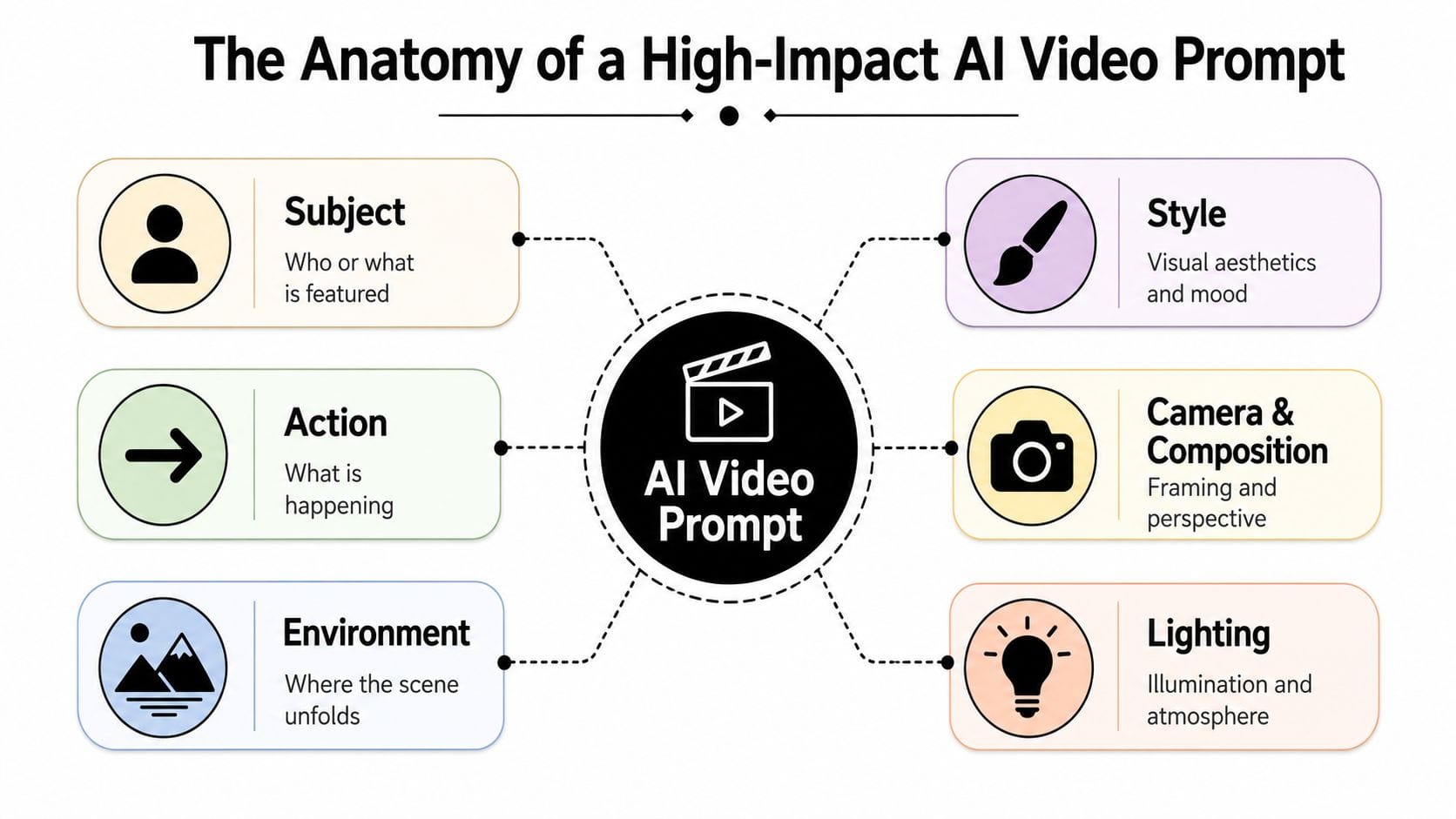
The most useful components are:
- Subject: who or what is in the clip.
- Action and movement: what the subject does, and what else moves in the scene.
- Setting: where and when it takes place.
- Camera framing and movement: close-up or wide shot, and whether the camera moves.
- Lighting: soft morning light, neon at night, overcast daylight.
- Visual style: realistic, cinematic, watercolor, stop-motion look.
- Composition and atmosphere: what is in the foreground, plus mood details like mist or haze.
- Constraints: what to avoid, such as on-screen text.
Not every prompt needs every component. Short AI video prompts with one clear action often work better than a long list of details.
The AI Video Prompt Formula
Here is a simple template you can adapt:
[Subject] + [action] + [setting] + [camera direction] + [lighting] + [visual style] + [optional constraints]Filled in, it looks like this:
A fisherman repairs a net on a wooden dock (subject + action), in a small harbor at sunrise (setting). Slow push-in at eye level (camera). Warm low sunlight with light sea mist (lighting). Realistic, documentary look (style). No text on screen (constraint).Think of each part as an answer to a question the model would otherwise have to guess, which is why reliable AI video prompts read like a short director’s brief. The formula is a starting point, not a rule. Some tools respond better to shorter prompts, and others handle longer descriptions, so adjust for the tool you use.
25+ AI Video Prompts to Copy and Adapt
Each of the AI video prompt examples below includes a prompt, what it is meant to produce, and a customization tip. Replace the subject, location, or lighting to make it your own.
1. Cinematic AI Video Prompts for Realistic Scenes
These AI video prompts focus on mood. The camera and lighting do most of the storytelling.
Rainy City Street at Night
A narrow city street at night in steady rain, neon signs reflecting on wet asphalt, a few pedestrians with umbrellas crossing in the distance. Slow push-in at eye level. Cool blue and magenta lighting, soft haze, cinematic realism, shallow depth of field.Intended result: a moody street scene with reflections and quiet motion. Tip: change the neon colors to shift the mood from cold to warm.
Quiet Café in the Morning
A quiet corner café just after opening, a woman reading by a window with a paper cup of tea, steam drifting upward, dust floating in the sunlight. Static medium shot, gentle natural movement only. Soft morning window light, warm neutral palette, realistic.Intended result: a calm, mostly still scene with subtle movement. Tip: keep the action small, such as turning a page, since small actions tend to be easier for models to handle.
Dramatic Storm Over a Valley
A storm front rolling over a wide green valley, cloud shadows sweeping across the hills, a lone barn in the foreground. Wide shot, slow pan left to right. Dramatic late-afternoon light breaking through dark clouds, realistic, high detail.Intended result: a large-scale landscape with moving light. Tip: add a foreground object so the scene has depth.
Person Walking Through a Location
A man in a dark coat walks along a deserted desert highway at dawn, his long shadow stretching behind him, dust lifting with each step. Tracking shot from the side at waist height, matching his pace. Low golden sunlight, wide-angle look, cinematic.Intended result: a character moving through an environment. Tip: describe the walking pace in plain terms, such as “slow and steady,” to guide the motion.
2. Product Videos and Commercials
For AI video prompts like these, keep descriptions truthful and visual. Avoid performance claims, since the model is generating imagery, not facts. Ask for blank labels to avoid garbled text.
Premium Product Close-Up
A matte black wireless headphone set rotating slowly on a dark reflective surface, soft highlights tracing its edges. Macro close-up, slow orbit. Controlled studio lighting with a faint rim light, clean minimal background, premium commercial style.Intended result: a polished turntable-style shot. Tip: if the exact product shape matters, start from a real product photo with image-to-video instead.
Skincare Product in a Clean Studio
A frosted glass dropper bottle and a small white jar with blank labels on a pale stone surface, a single drop of serum falling from the dropper in slow motion. Close-up, static camera. Soft diffused studio lighting, clean pastel palette, minimal composition.Intended result: a calm, clean beauty-style visual. Tip: mention “blank labels” so the model does not invent unreadable text.
Watch Advertisement
A stainless steel wristwatch resting on dark slate, the second hand sweeping smoothly, a thin beam of light moving across the dial. Extreme close-up, slow push-in. Low-key lighting, deep shadows, subtle reflections, luxury commercial style.Intended result: a dramatic detail shot. Tip: moving light is a simple way to add life without moving the product.
Food and Beverage Commercial
A tall glass of iced tea with lemon slices and mint, condensation beading on the glass, ice cubes shifting as tea is poured in. Close-up, slight handheld sway. Bright natural light, shallow depth of field, fresh summer palette.Intended result: a refreshing, appetizing close-up. Tip: specify textures like condensation or steam, which add realism.
3. Nature and Travel
Nature scenes are forgiving, which makes them a good place to test AI video prompts before moving to harder subjects.
Mountain Landscape at Sunrise
A snow-capped mountain range at sunrise above a still alpine lake, thin clouds drifting between the peaks. Wide establishing shot, very slow push-in. Soft pink and gold light, crisp air, realistic, high detail.Intended result: a calm, expansive establishing shot. Tip: one slow camera movement is usually enough for landscapes.
Waves Crashing on a Rocky Coast
Large waves crashing against dark rocks on a rugged coastline, white spray rising and falling back. Wide shot from a low angle near the rocks, static camera. Overcast light, cool blue-gray palette, realistic, sense of power.Intended result: raw natural motion with a fixed frame. Tip: a static camera lets the water motion carry the scene.
Forest in Morning Mist
Tall pine trees in a quiet forest at dawn, mist drifting between the trunks, light beams cutting through the fog. Slow tracking shot moving forward along a narrow trail. Soft diffused light, muted green palette, calm atmosphere.Intended result: a quiet, atmospheric walk-through. Tip: name the atmosphere, such as mist or fog, rather than just “moody.”
Aerial Landscape Shot
An aerial view over a winding river through autumn fields and forests, the river catching sunlight. Aerial shot rising slowly and tilting down to reveal more of the valley. Warm afternoon light, rich orange and green colors, realistic.Intended result: a drone-style reveal. Tip: state the direction of travel, such as rising or tilting down.
4. Social Media and Short-Form Content
Short-form clips often use vertical framing. Check your tool’s aspect ratio options, because settings differ. For a full workflow on this format, see our guide to an AI-powered faceless YouTube workflow.
Vertical Lifestyle Clip
Vertical 9:16 clip of a young woman stretching on a yoga mat on a sunlit apartment balcony, city rooftops behind her. Medium shot at eye level, gentle handheld feel. Warm morning light, natural colors, relaxed mood.Intended result: a relaxed, relatable social clip. Tip: if your tool sets aspect ratio in a menu, choose it there instead of relying on the prompt.
Satisfying Process Video
Close-up of a ceramic bowl being shaped on a pottery wheel, wet clay rising smoothly between steady hands. Static macro shot from the side. Soft studio light, earthy tones, smooth continuous motion.Intended result: a calming, loop-friendly process shot. Tip: ask for smooth, continuous motion, and watch the hands closely, since hands can look unnatural.
Fashion-Focused Scene
A model in a tailored beige trench coat walks toward the camera on a quiet rooftop at golden hour, the coat moving in the breeze. Low-angle tracking shot moving backward ahead of her. Warm backlight, editorial fashion style, cinematic.Intended result: an editorial walking shot. Tip: name the garment’s color and fabric so the model has something concrete to render.
Short Promotional Visual
A bright farmers market stall piled with fresh strawberries and peaches, shoppers browsing softly out of focus behind. Slow push-in on the fruit. Sunny midday light, vibrant saturated colors, cheerful commercial style. No text on screen.Intended result: a quick promotional background clip. Tip: add your own text and logo in an editor, since generated text is unreliable.
5. Animation and Stylized Videos
The style phrases in these AI video prompts are visual descriptions. No tool is guaranteed to reproduce a specific look exactly.
Miniature World
A tiny model town built on a wooden table, miniature cars driving along small streets, tilt-shift effect with very shallow depth of field. Slow overhead pan across the town. Warm daylight, handcrafted detail, playful tone.Intended result: a toy-like, “tiny world” look. Tip: “tilt-shift” and “shallow depth of field” drive the miniature effect.
Stylized Animated Landscape
A hand-painted watercolor landscape of rolling hills and a winding path, clouds drifting, grass swaying gently. Wide static frame with soft parallax movement. Pastel palette, visible paper texture, storybook animation style.Intended result: a painted, storybook feel. Tip: describe the medium, such as watercolor and paper texture, instead of naming a specific artist.
Stop-Motion-Inspired Scene
A small felt fox exploring a handmade cardboard forest, moving in slightly jerky stop-motion steps, paper leaves trembling. Medium shot, static camera. Warm tabletop lighting, tactile textures, handmade look.Intended result: a handcrafted, stepped-motion look. Tip: results vary by tool, so try a few generations to see how well it holds the effect.
6. Camera Movement Prompts
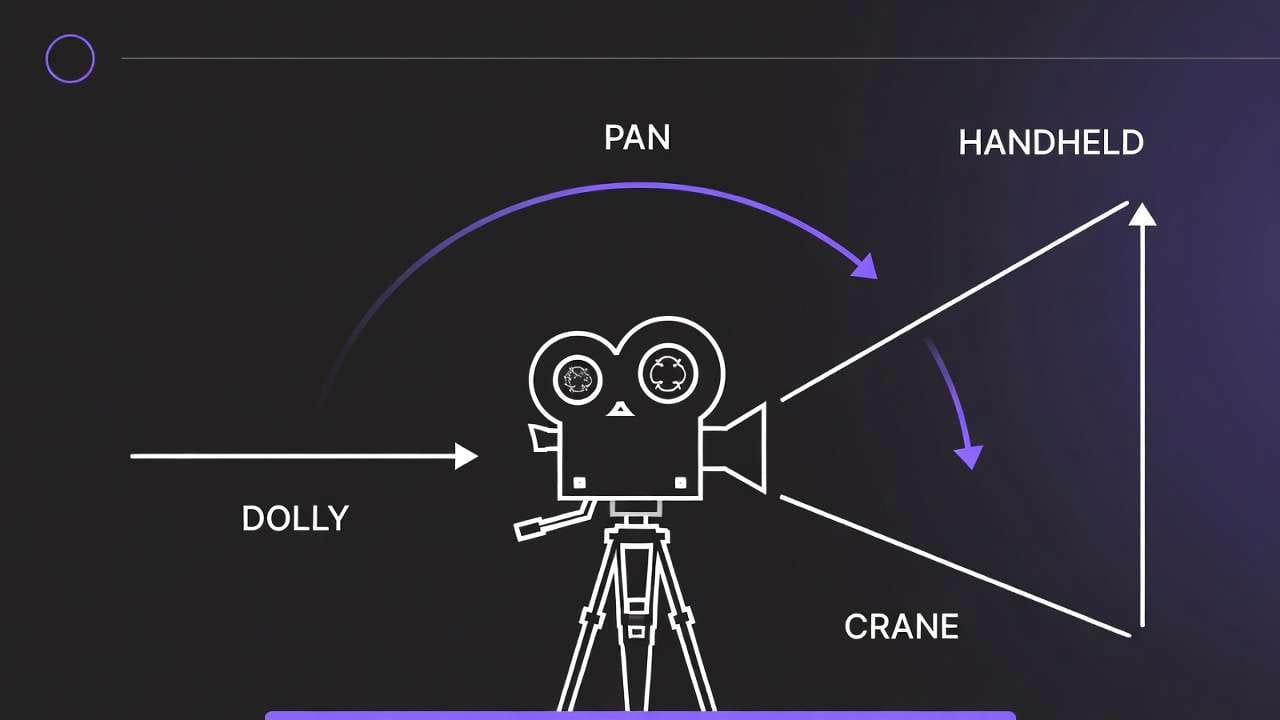
Camera movement describes how the camera behaves. It is different from subject movement, which is what happens inside the frame. AI video prompts like these work best when you describe only one camera movement at a time. For vocabulary, our camera angles and shot types cheat sheet was written for AI image prompts, but the terms for framing and angle carry over as general cinematography language.
Slow Push-In
A lone lighthouse on a cliff at dusk. Slow push-in toward the lighthouse, the camera moving steadily forward over several seconds. Calm sea below, last orange light on the horizon, cool shadows.What it communicates: growing focus and anticipation.
Tracking Shot
A cyclist rides down a tree-lined road in autumn. Tracking shot alongside the cyclist at the same speed, camera at handlebar height. Dappled sunlight, falling leaves, smooth motion.What it communicates: speed, energy, and following the action.
Pan
A busy open-air night market seen from one end. Slow pan from left to right across rows of food stalls and lanterns, the camera staying in place. Warm string lights, steam rising, lively atmosphere.What it communicates: scanning a space without leaving your position.
Orbit
A bronze statue of a horse in a quiet plaza at sunset. The camera orbits slowly around the statue in a half circle at chest height. Warm side light, long shadows, the statue itself remains still.What it communicates: showing an object from every side, often used in product work.
Aerial Reveal
A small village hidden behind a ridge. The camera starts low behind the ridge, then rises smoothly to reveal the village and the valley beyond. Early morning light, light mist in the lowlands.What it communicates: discovery and scale.
Static Shot With Subject Movement
A fixed wide shot of an empty train platform at dawn. A commuter walks in from the left, stops at the yellow line, and looks down the tracks as a train approaches from the right. The camera does not move. Cool morning light.What it communicates: a stable frame where all the motion comes from the subject.
7. Image-to-Video Prompts
In image-to-video, the source image supplies the starting composition, so AI video prompts for this mode should focus on what moves, not on re-describing what is already visible. Runway’s academy guidance for image-to-video (written for its earlier Gen-4 model) says to focus on the subject action and camera action. How reliably a tool preserves details from the source image varies, so check the result carefully.
Product Photo With Gentle Motion
Keep the product exactly as shown. Slow orbit around the bottle, soft light gliding across its surface. The background stays softly blurred. No change to the shape or label.Intended result: subtle motion while protecting the product. Tip: state what must not change.
Portrait With Subtle Movement
The woman in the photo blinks naturally and turns her head slightly toward the window, a faint smile forming. Her hair moves gently in a light breeze. The camera holds still. Keep her face, clothing, and lighting unchanged.Intended result: a lifelike portrait with small movements. Tip: keep movements small, since large changes can distort faces.
Landscape Photo With Moving Clouds and Water
Clouds drift slowly across the sky and the lake surface ripples gently. Tall grass in the foreground sways in the wind. Slow push-in. Keep the mountains, colors, and composition as in the image.Intended result: a still photo that comes alive. Tip: list each element that should move.
Illustration Brought to Life
The illustrated character blinks and her scarf flutters in the wind while snow falls down the frame. Subtle parallax between foreground and background. Keep the original art style and colors.Intended result: an animated version of flat artwork. Tip: ask the model to keep the art style so it does not drift toward realism.
How to Write AI Video Prompts for Different Tools
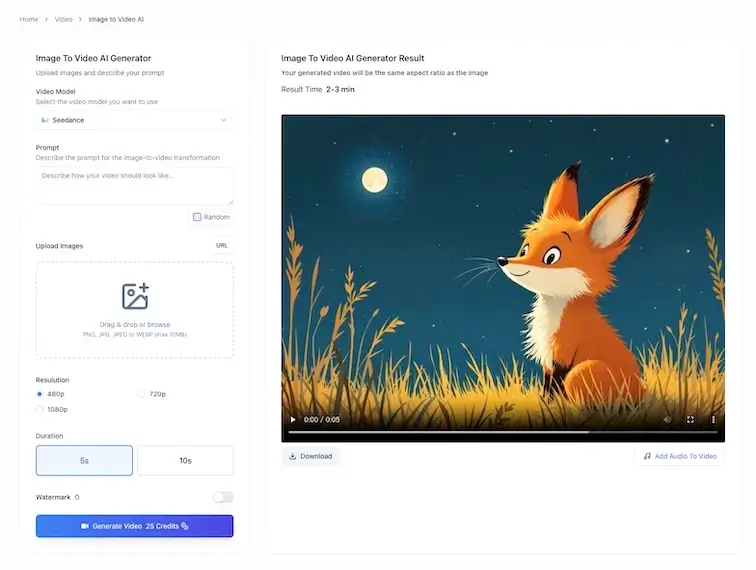
The general principles for AI video prompts are the same across tools: be specific, keep the action simple, and change one thing at a time. The differences show up in features, so check each tool’s own documentation instead of assuming they match.
Writing Text-to-Video Prompts for Different AI Tools
- Runway. Runway’s help center says Gen-4.5 currently supports text-to-video and image-to-video. Its guidance for image-to-video, written for the earlier Gen-4 model, says to focus on the subject action and camera action, so describe motion rather than re-describing the image. See Runway’s Gen-4.5 documentation.
- Google’s Omni Flash and Veo. Google’s documentation lists text-to-video, first-frame image-to-video, first-and-last-frame video, reference-based generation, video extension, and editing for Veo. Its video generation prompt guide breaks prompts into parts such as subject and action. Google’s developer docs now sit under the name Gemini Enterprise Agent Platform, so product names on older pages may differ.
- Adobe Firefly. Adobe’s Firefly video page lists text-to-video and image-to-video. Adobe states that commercial-use eligibility depends on the model you pick, and Firefly includes partner models, so confirm the details for the one you choose.
For a comparison of specific platforms, see our guide to the best AI video generators. If you want a plain explanation of the category first, start with our AI video generator guide.
Common AI Video Prompt Mistakes
Most problems with AI video prompts trace back to a handful of habits. Here is each one with a fix.
- Vague or incomplete actions. “A dog in a park” gives the model no motion. Try: “A golden retriever runs across a sunny park and catches a red ball.”
- Too many competing actions. “A man runs, jumps, fights, and drives away” is too much for a short clip. Pick one action per clip.
- Contradictory camera instructions. “Static camera with a fast orbit” confuses the model. Choose one movement.
- Excessive visual details. Long lists of adjectives can crowd out what matters. Keep the core idea clear, then add a few details.
- Unrealistic expectations about text, hands, or complex interactions. Generated text is often unreliable and hands can look odd. Add text later in an editor, and keep hand actions simple.
- Not specifying the framing. If you leave it out, the model picks. Add “close-up,” “medium shot,” or “wide shot.”
- Contradicting the source image. In image-to-video, asking for a different location or outfit fights the image. Describe motion that fits what is already there.
How to Improve a Prompt Step by Step
Here is a weak prompt for a clip that has not appeared earlier in this article:
A skateboarder in a city.Improving weak AI video prompts like this one takes four small changes:
- Add a specific action: “rolls down a ramp and jumps over a small gap.”
- Add a setting and time: “in an empty parking garage at golden hour.”
- Add one camera direction: “tracking shot from behind at hip height.”
- Add lighting and style: “warm low sunlight through the open sides, realistic, slight motion blur.”
The improved version:
text
A skateboarder rolls down a concrete ramp in an empty parking garage at golden hour and jumps over a small gap. Tracking shot from behind at hip height. Warm low sunlight streaming through the open sides, realistic, slight motion blur.The second version gives the model more to work with, but no prompt guarantees a good result. Run it a few times, and change only one or two elements between attempts so you can see what made the difference.
Frequently Asked Questions
What should I include in an AI video prompt?
Strong AI video prompts include, at minimum, a subject, an action, and a setting. For better control, add camera framing or movement, lighting, and a visual style. Not every prompt needs every part.
How long should an AI video prompt be?
There is no universal length. Many clips work well with two to four sentences. Some tools limit prompt length, so check yours. Clear and specific usually beats long.
Do AI video prompts need camera directions?
They are not required, but they help. If you leave them out, the model chooses the framing and movement. Naming one clear camera direction gives you more control.
Can I use the same prompt in different AI video generators?
You can try, but the same AI video prompts can produce noticeably different results. Tools differ in features, controls, and how they interpret descriptions, so you may need to adjust wording for each one.
How do I write a prompt to animate an existing image?
Describe the motion, not the picture. Say what should move, how the camera behaves, and what must stay unchanged. Preservation controls vary by tool.
Why does an AI-generated video sometimes ignore parts of a prompt?
Models do not follow every instruction perfectly, especially in long prompts with several actions or conflicting directions. Simplify, remove contradictions, and test one change at a time.
Conclusion
The most useful habit when writing AI video prompts is simple: describe one clear subject, one clear action, and one camera direction, then add lighting and style. When a result misses, change one or two components rather than rewriting everything, so you can learn what each change does.
Treat the examples above as templates. Swap the subject, setting, and lighting, and keep what works. Once your AI video prompts are producing clips you like, our guide on how to make AI videos shows how to turn those clips into a finished video.