
AI video generation is becoming more accessible, but choosing the right platform can be difficult when every service has different pricing rules. Some offer daily credits, others provide a limited number of free generations, and a few only let you explore their features before requiring a subscription.
The best free AI video generators are not necessarily the platforms with the most advanced models. What matters is how much you can create without paying, which features remain available, and whether you can actually use the exported videos for your projects.
In this guide, we’ll compare six popular options: Google Flow, Kling AI, Hailuo AI, Runway, Adobe Firefly, and Higgsfield. We’ll look at their free access, generation limits, watermarks, and commercial-use conditions to help you choose the right tool.
If you’re searching for an AI video generator free of charge, don’t compare tools based on free access alone. Check how many generations you get, whether credits reset, and what restrictions apply to exported videos.
If you’re new to AI video creation, our beginner’s guide on how to make AI videos explains the complete process, from planning your clips to editing the final video.
What Counts as a Free AI Video Generator?
Not every platform advertised as free provides the same experience. Before comparing free AI video generators, it’s important to understand the different types of free access.
Permanent free plans: These allow you to use selected features without a subscription. They may include daily or monthly credits, limited models, or restricted export options.
Daily or monthly credits: Some platforms refresh your allowance regularly. This is useful if you create videos occasionally and can work within the available quota.
One-time starter credits: These credits are provided when you create an account but do not renew. They are useful for trying a service, not for maintaining a regular production workflow.
Free trials: A trial gives temporary access to paid features or a limited number of generations. Once the trial ends, you may need to subscribe to continue.
Limited feature access: Some platforms allow free users to create images, edit existing videos, or explore selected tools, while keeping their main video-generation models behind a paid plan.
These distinctions matter because a free account does not automatically mean unlimited video generation. You should also check whether the platform adds a watermark, restricts resolution, or limits commercial use.
Best Free AI Video Generators in 2026
The following platforms offer different ways to explore AI video creation. Their free allowances are not directly comparable because they use different credit systems and feature restrictions.
1. Google Flow
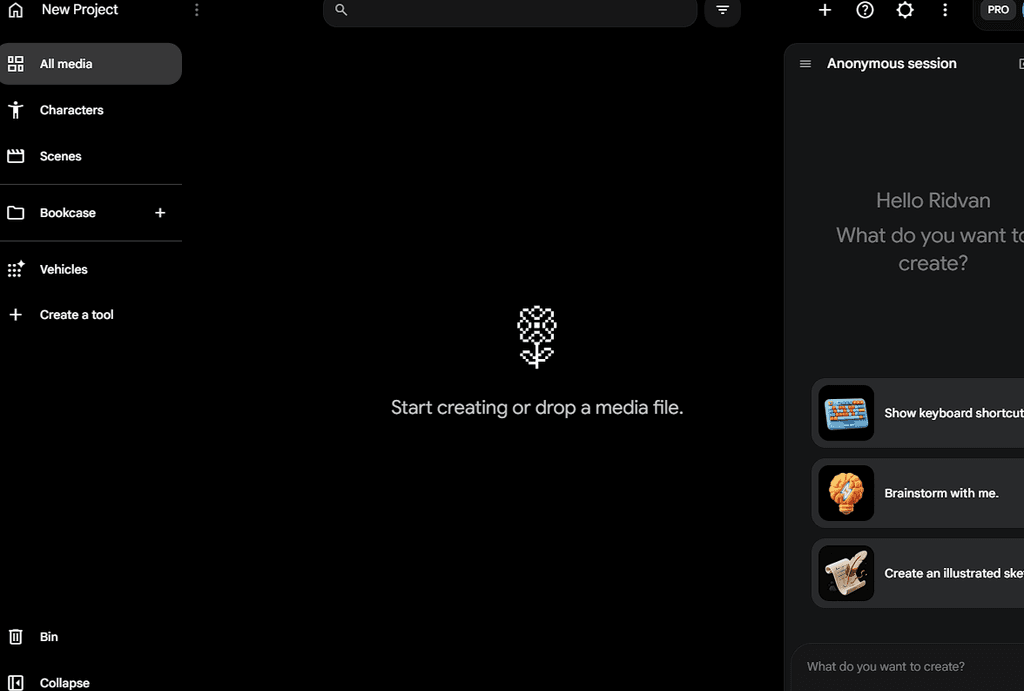
Google Flow is an AI-powered creative workspace built around Google’s generative models, including Veo. It supports workflows such as text-to-video, frames-to-video, image references, video extension, and editing.
Its free access is particularly interesting because it includes a recurring daily allowance rather than a one-time trial.
Free plan
Google currently provides 50 Flow credits per day to users without a Google AI subscription. The allowance refreshes daily, and unused credits do not roll over. The number of credits required depends on the selected model and generation type.
There is an important limitation: during peak hours, approximately 2 PM to 5 PM UTC, non-subscribers may not be able to generate videos. Image generation and the Flow Agent may remain available during those periods.
Features and limitations
Free users can access selected Flow capabilities and models, including Veo 3.1. However, not every model or generation mode is available to non-subscribers. For example, Veo 3.1 Fast and Quality have different credit costs, while some lower-priority options are restricted by plan.
Google does not present the free allowance as unlimited video production. The number of clips you can create depends on the model, duration, and number of generations triggered by a request.
Best for: Beginners and creators who want to experiment with Google’s video models and can work around generation limits.
Verdict: Google Flow is one of the more attractive free AI video generators for occasional use because its daily credits refresh. However, peak-hour restrictions and model-specific costs make it less predictable for time-sensitive projects.
Official information: Google Flow and Google Flow credit guide.
2. Kling AI
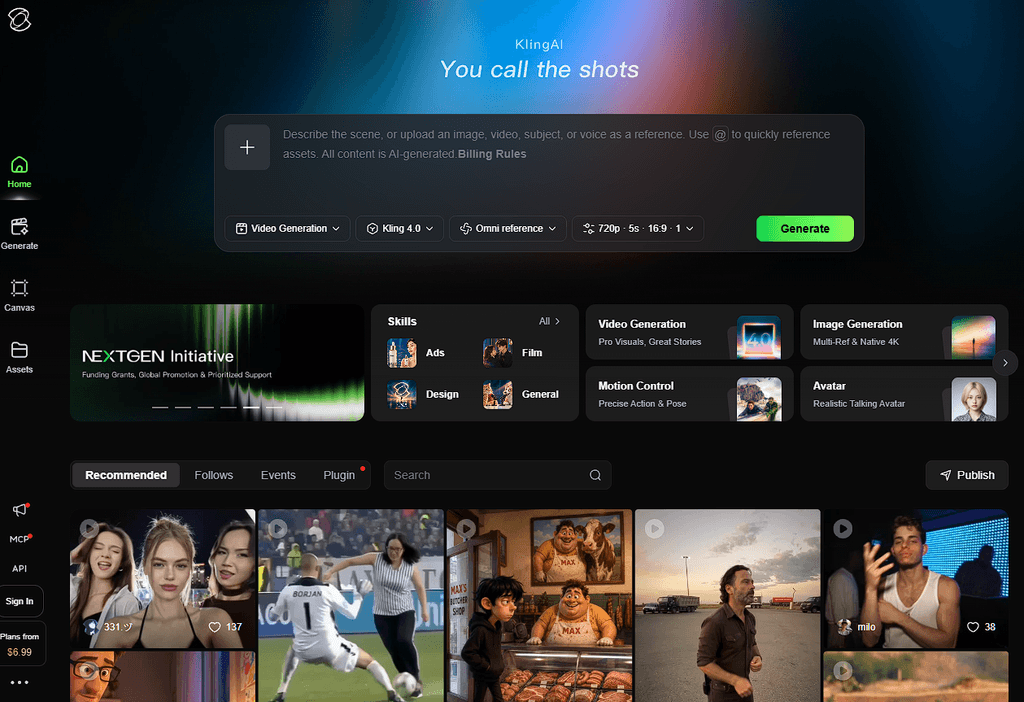
Kling AI is known for generating realistic motion from text prompts and reference images. It is particularly useful for creators who want to animate still images, produce cinematic scenes, or create short social media clips.
The platform offers free access, although the available models, credits, and export conditions depend on the account and current membership rules.
Free plan
Kling provides a free tier with limited generation access. Its official pages confirm that users can start creating with daily credits, but the exact allowance and available features should be checked in the account’s current pricing and credit information.
Do not assume that every Kling model or advanced feature is available to free users.
Features and limitations
Kling supports text-to-video and image-to-video workflows. Its official free-tools information also states that free generations include a watermark, while membership removes it and unlocks additional capabilities.
The platform’s official free-tools page states that videos generated on Kling, including those on the free tier, can be used commercially. However, users should review the applicable terms for their account, model, and intended use before relying on that statement for commercial projects.
Best for: Creators who want to experiment with realistic motion, animate product images, or turn still artwork into short clips.
Verdict: Kling is worth exploring if image-to-video generation is important to your workflow. Its free access makes it possible to try the platform, but watermark and model restrictions should be considered before using it for published content.
Official information: Kling AI and Kling free AI video tools.
3. Hailuo AI
Hailuo AI, developed by MiniMax, focuses on generating short videos from text and images. It is an option for creators who want to experiment with realistic scenes and subject movement.
Its current free plan is clearly more limited than its paid offerings.
Free plan
Hailuo’s official pricing page lists 160 credits per month for the free plan. This is described as enough for up to five videos or ten images, although actual usage depends on the generation selected.
The free tier uses Hailuo 02 at 512p resolution and includes a watermark. It does not provide the same model access or output quality as the paid plans.
Features and limitations
Hailuo 02 supports text-to-video and image-to-video generation. It can create short clips of six or ten seconds and supports first-frame and last-frame inputs.
The newer Hailuo 03 model offers more advanced capabilities, including higher-resolution output and native audio, but it is not included in the free tier described on the pricing page.
Commercial licensing is listed on Hailuo’s paid plans. Do not assume that the free plan includes the same commercial licence.
Best for: Beginners who want a small monthly allowance to experiment with short AI-generated clips.
Verdict: Hailuo is a genuine free option, but its 512p resolution and watermark make it better suited to experimentation than finished commercial content. Among free AI video generators, it is one of the clearer examples of a limited monthly-credit model.
Official information: Hailuo AI and Hailuo 02.
4. Runway
Runway is a well-known creative AI platform offering video, image, audio, and editing tools. It is often included in lists of AI video generators, but its current free plan needs a closer explanation.
Free plan
Runway’s official pricing page lists 125 one-time credits for free users. These credits do not renew monthly.
However, the current free-plan description does not provide access to all of Runway’s video-generation models. Its product FAQ explains that free users can create images and voiceovers, interact with Characters, and work with existing video through certain editing and upscaling features. Accessing additional video-generation features requires a paid plan.
Features and limitations
The free plan is useful for exploring selected Runway tools, but it should not be treated as a recurring free text-to-video allowance.
Runway also states that images generated on the free plan carry a small watermark. Paid plans provide broader model access and watermark-free exports.
Best for: Users who want to explore Runway’s creative tools or work with existing video, rather than rely on the free plan for ongoing AI video generation.
Verdict: Runway is a useful platform, but it is not one of the strongest choices if your main requirement is a free AI video generator that regularly creates new clips. Its 125 credits are a one-time allocation, and its current free plan has significant video-generation restrictions.
Official information: Runway Pricing and Runway AI Video Generator.
5. Adobe Firefly
Adobe Firefly brings generative AI features into a familiar creative ecosystem. Its video generator supports text-to-video and image-to-video workflows, making it relevant to creators who also use Adobe’s design and editing applications.
Free plan
Adobe Firefly offers a free plan with a limited number of daily generations. The allowance refreshes each day, but Adobe does not present one fixed video-generation quota that applies to every free user and every model.
The available generations, features, and models can change. Free users can access the Firefly Video Model and selected partner models for text-to-video and image-to-video generation, subject to current limits.
Features and limitations
Adobe’s video generator supports different clip lengths depending on the selected model. The platform also supports downloadable MP4 output, with resolution and other options varying by model and plan.
Do not confuse the general capabilities of the Firefly platform with what is available to free users. Some premium features and partner models require additional credits or a paid subscription.
Adobe describes Firefly as designed for commercially safer generative AI workflows, but that does not mean every partner model or every generated result automatically carries identical usage rights. Review the applicable terms for the model and plan you use.
Best for: Creators who already work with Adobe tools and want to explore AI video generation within a broader creative workflow.
Verdict: Adobe Firefly is a strong option for occasional experimentation. Its daily free generations are useful, but the exact allowance is limited and can vary. Check the current account limits before planning a larger project.
Official information: Adobe Firefly AI Video Generator and Adobe Generative Credits FAQ.
6. Higgsfield
Higgsfield is a creative AI platform that brings together video and image-generation tools, including access to selected models and specialized workflows.
Its free access is more complicated than a single recurring credit allowance. Some features provide a limited number of free generations, while the main free plan has broader restrictions.
Free plan
Higgsfield’s pricing page lists selected free generations for specific features. Examples include ten free generations for Genjutsu Lite, 30 for AI Influencer, three for Genjutsu, and ten for Ads Studio.
These allowances are feature-specific. They should not be interpreted as a general daily or monthly video-generation credit balance.
The pricing comparison also shows that the free plan has zero general credits and does not include commercial-use rights.
Features and limitations
The available free generations can be useful for trying selected workflows, but access to models, resolution, and other capabilities depends on the feature.
Higgsfield’s free access is therefore better understood as a collection of limited trials than as an unrestricted free video-production plan.
Best for: Creators who want to experiment with specific AI workflows, such as stylized content or AI-generated advertising concepts.
Verdict: Higgsfield offers several ways to try its tools without paying, but its free allowances are fragmented across individual features. Check the pricing page carefully before choosing it for a recurring production workflow.
Official information: Higgsfield Pricing.
Free AI Video Generators Compared: Features and Limitations
The table below summarizes the main differences between these free AI video generators. Because each service uses a different credit system, a daily allowance cannot be compared directly with one-time credits or feature-specific trials.
| Tool | Free allowance | Reset frequency | Watermark | Main limitation |
|---|---|---|---|---|
| Google Flow | 50 credits | Daily | Not clearly specified as a free-plan rule | Video generation may be restricted during peak hours |
| Kling AI | Limited free access / daily credits | Daily access; exact allowance may vary | Yes, according to official free-tools page | Model and export restrictions |
| Hailuo AI | 160 credits | Monthly | Yes | 512p Hailuo 02 on free plan |
| Runway | 125 credits | One-time | Yes, on free-plan images | Main video-generation models require a paid plan |
| Adobe Firefly | Limited free generations | Daily | Depends on model and export conditions | Limited model and generation access |
| Higgsfield | Feature-specific free generations | Depends on feature | Not clearly specified across all free features | No general free-plan credits; commercial use excluded |
If you are comparing AI video generators without watermark, pay particular attention to the exact export conditions rather than relying on general marketing statements. Watermark policies can differ between models, account tiers, and individual features.
Which Free AI Video Generator Is Best for Your Needs?
There is no single winner for every creator. The right choice depends on the kind of video you want to make and how often you plan to generate clips.
For daily experimentation: Google Flow
Its 50 daily credits provide recurring access, making it appealing for users who create occasionally. However, peak-hour restrictions can interrupt video generation.
For animating images: Kling AI
Kling is worth considering if you already have product photos, illustrations, or other reference images that you want to animate. Keep its free-tier watermark in mind.
For a small monthly allowance: Hailuo AI
Hailuo provides a clearly stated monthly credit allowance. Its 512p free output is limited, but it can be sufficient for learning how text-to-video and image-to-video generation work.
For exploring creative tools: Runway
Runway’s free plan can introduce you to its wider creative ecosystem, but it is not the best option if you need regular free video generation.
For Adobe users: Firefly
If you already use Adobe’s creative applications, Firefly is worth exploring. Its daily free generations provide an opportunity to try video features without immediately subscribing.
For specialized creative workflows: Higgsfield
Higgsfield’s feature-specific free generations may be useful if you want to explore a particular tool, but its free access is less straightforward than a recurring credit plan.
The best free AI video generator for you is ultimately the one whose free allowance matches your actual production needs.
Are Free AI-Generated Videos Safe for Commercial Use?
Free access and commercial-use permission are two separate things.
A platform may allow you to generate and download a video without charging you, but that does not automatically mean you can use the result in advertisements, client projects, product listings, or monetized YouTube videos.
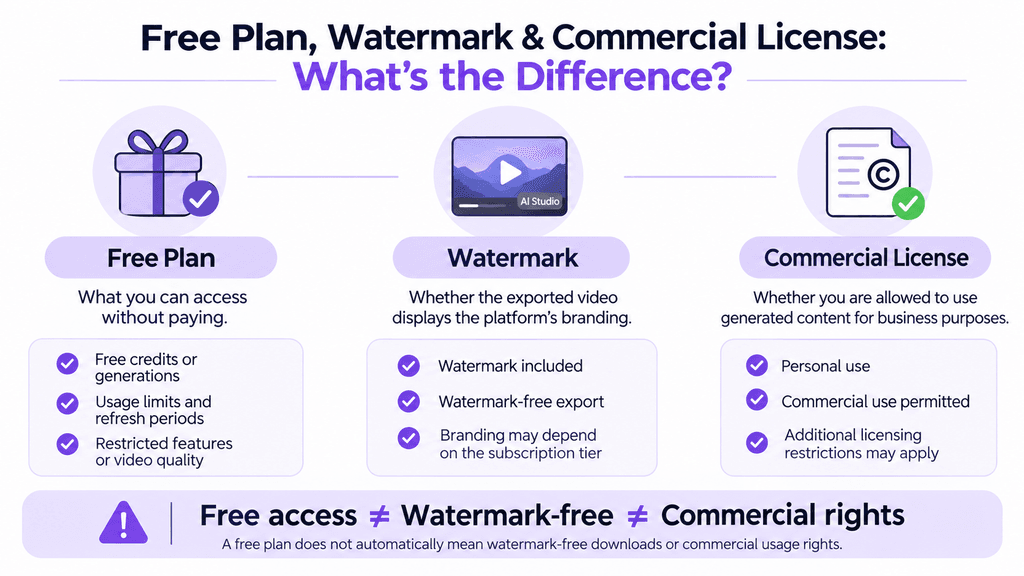
Before using a free AI video generator for business purposes, check the following:
- Plan-specific licensing: Confirm whether commercial use is permitted on the free plan, not just on paid subscriptions.
- Model-specific conditions: Some platforms provide access to partner models with different terms.
- Copyright and trademarks: Avoid using protected characters, logos, music, or other assets without the necessary rights.
- People and likenesses: Be careful when generating recognizable real people or using someone’s image.
- Platform policies: YouTube, Instagram, TikTok, and advertising platforms may have their own rules for synthetic or AI-generated content.
For example, Hailuo lists its commercial licence on paid plans, while Higgsfield’s pricing comparison excludes commercial use from the free plan. Kling’s official free-tools page states that its free-tier outputs can be used commercially, but users should still review the applicable terms.
When in doubt, do not use a free-generation result in a paid campaign until you have confirmed the relevant licence.
How to Get Better Results Without Paying
Free credits are limited, so a little planning can prevent unnecessary generations.
1. Write the prompt before opening the tool.
Decide what the subject should do, where the scene takes place, and how the camera should move. Avoid changing several instructions randomly between generations.
2. Start with short clips.
Shorter scenes are easier to plan and may consume fewer credits, depending on the model. Generate only the footage you actually need.
3. Use image-to-video when it makes sense.
If you already have a suitable image, animating it may give you more control over the starting composition than generating an entire scene from text.
4. Avoid conflicting instructions.
A prompt that asks for a static camera and a fast tracking shot at the same time can produce unpredictable results. Keep the movement clear.
5. Plan your final edit first.
Think about the number of clips, aspect ratio, voiceover, and transitions before spending credits. This is especially useful for YouTube videos and short-form content.
6. Keep a record of useful prompts.
Save prompts that produce suitable results so you can adapt them later instead of starting from scratch.
For more practical examples, see our guide to AI video prompts. You can also use our guide to camera angles and shot types to describe your shots more clearly.
Frequently Asked Questions
What is the best free AI video generator in 2026?
Google Flow is one of the most interesting options for recurring free access because it provides 50 daily credits. Kling and Adobe Firefly are also worth exploring, depending on your preferred workflow and the current restrictions.
Are there AI video generators without watermark?
Some platforms offer watermark-free exports under specific plans or conditions, but this is not guaranteed on free tiers. Kling’s official free-tools page states that free generations include a watermark. Always check the export rules before creating content for publication.
Can I generate AI videos for free without signing up?
Most major platforms require an account to access free credits or generations. Some may allow limited previews, but you should expect to sign in before using their main generation tools.
Do free AI video generators allow commercial use?
Some do, but others reserve commercial licences for paid subscriptions. Check the terms of the specific platform, model, and plan before using generated content in advertisements, client work, or monetized videos.
Which free AI video generator offers daily credits?
Google Flow provides 50 daily credits. Adobe Firefly also offers a limited number of free daily generations, although its exact allowance can vary.
Is Runway completely free for AI video generation?
No. Runway has a free plan with 125 one-time credits, but its current free-plan description does not include access to its main video-generation models. Free users can explore selected image, audio, and existing-video tools.
Conclusion
You do not need to subscribe to several platforms just to start exploring AI video creation. The free plans offered by Google Flow, Kling, Hailuo, Adobe Firefly, Runway, and Higgsfield provide different ways to experiment, but their limitations matter.
Google Flow is attractive for its daily credits, Kling is useful for image animation, Hailuo offers a small monthly allowance, and Adobe Firefly provides limited daily generations. Runway and Higgsfield are more restricted for users who specifically want recurring free video production.
The best free AI video generators are the ones that fit your workflow without creating unexpected costs or licensing problems. Start with one platform, learn its limits, and upgrade only when your projects genuinely require more capacity.
If you are ready to compare paid plans and broader model capabilities, continue with our guide to the best AI video generators.