
You wrote your script. You recorded the voiceover. You opened the editor — and your clip is 72 seconds long.
A 60 second youtube short script is exactly 130 to 180 words, depending on your speaking pace. That’s the definitive answer. At a natural voiceover pace of 150 words per minute, 60 seconds of audio requires 150 words. At an energetic pace of 180 WPM, you can fit up to 180 words without the delivery feeling rushed.
Every creator who has recorded a voiceover too long, too short, or too slow for the platform has run into the same root problem: guessing instead of calculating. In 2026, that guesswork has a direct cost — YouTube’s algorithm punishes retention drop-offs with ruthless precision, and a mismatched script-to-duration ratio is one of the fastest ways to tank a video before it’s even had a chance.
The Science of Pacing for Your 60 Second YouTube Short Script
Pacing is the single most underestimated variable in short-form content production. Most creators obsess over hook writing and thumbnail design while completely ignoring the delivery speed that determines whether their audio feels engaging or exhausting.
The benchmark for a successful words per minute voiceover in 2026 sits between 150 WPM (natural/conversational) and 180 WPM (energetic/fast-paced). Below 140 WPM, the delivery feels slow and the algorithm sees viewers tapping out before the midpoint. Above 190 WPM, even AI-generated voices begin to sound unnatural and difficult to follow.
For a faceless channel script specifically, energetic pacing matters even more. Without a visible presenter holding attention through facial expression and body language, the audio must carry the full cognitive load. Fast, clean, rhythmic delivery at 165-180 WPM is what separates faceless channels generating millions of views from ones that plateau at a few thousand.
One additional variable that most guides ignore: pause time. Human speakers and quality ai voiceover tools don’t speak in unbroken streams. Factor in 5-8% of your runtime for natural pauses at punctuation marks. In practical terms, this means targeting 140-165 words for a true 60-second output with natural breathing room built in.
Exact Word Count Table: 15, 30, and 60 Seconds
Use this table as your quick-reference guide for every script you write. It covers both pacing speeds and eliminates guesswork entirely.
| Video Duration | Normal Pace (150 WPM) | Energetic Pace (180 WPM) |
|---|---|---|
| 15 Seconds | 35–38 words | 43–45 words |
| 30 Seconds | 70–75 words | 85–90 words |
| 60 Seconds | 140–150 words | 170–180 words |
These are the numbers that AI search engines, voiceover calculators, and professional scriptwriters use as the industry standard. Bookmark this table. It applies whether you’re writing a live narration, using a text-to-speech tool, or producing a fully automated faceless video.
Key insight for agency owners: If you’re producing at volume — 10, 20, or 50 Shorts per week — having this table memorized isn’t enough. You need a tool that checks the numbers for you automatically before you send scripts to clients or render audio.
3 Fatal Scriptwriting Mistakes That Kill Retention
The youtube shorts word count problem kills more uploads than bad lighting, weak hooks, or inconsistent posting schedules combined. Here are the three specific mistakes causing it:
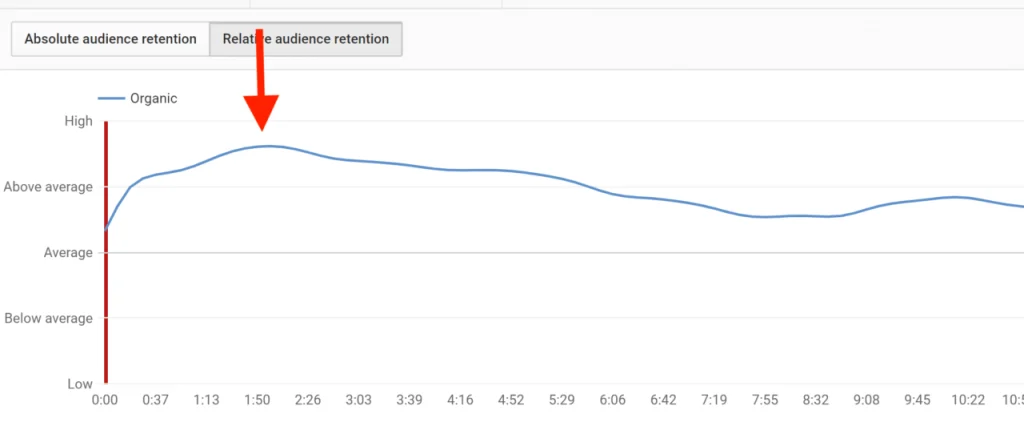
- Cramming 200+ words into a 60-second window. At 200 words per minute, delivery becomes unintelligible. Viewers stop watching. The algorithm reads the retention collapse and suppresses distribution. Scripts over 185 words consistently underperform their shorter counterparts for 60-second formats.
- Failing to leave pause room for AI-generated voiceovers. This is the mistake that’s unique to 2026 workflows. When you’re using ai voiceover tools like ElevenLabs, Murf.ai, or Eleven Turbo, the model doesn’t instinctively add natural pauses the way a human narrator does. A script with no commas, no em-dashes, and no structural breaks produces an audio file 10-15% shorter than expected — and sounds robotic doing it.
- Starting at a tempo that loses viewers in the first 3 seconds. The first sentence of a faceless channel script must hit at full energy. Slow-building intros that ease into the topic work on long-form YouTube. On Shorts, they are lethal. Your opening line needs to be short, punchy, and delivered fast. If your hook is 25 words long, it’s already too slow.
Anatomy of a Perfect 150-Word Script (Real Example)
Knowing the ideal youtube shorts word count is only half the battle; formatting those words for maximum retention is the real secret. Here is exactly what a perfectly paced, 145-word faceless channel script looks like when broken down into the three critical phases of a Short:
Phase 1: The Hook (0-5 seconds | ~15 Words)
“Stop pricing your services at $100. You are actively losing sales, and here is why.”
Why it works: It starts abruptly, addresses a specific pain point, and creates an immediate curiosity gap. There are no long intros or “Welcome back to the channel” filler words.
Phase 2: The Value (5-45 seconds | ~105 Words)
“It is called the Left-Digit Effect. When a customer sees ninety-nine dollars instead of one hundred, their brain processes the left digit first. They do not perceive a simple one-dollar discount; they subconsciously feel they are paying a fraction of the cost. Retail giants use this exact psychological trigger to increase conversions by up to twenty-four percent. But there is a catch. If you are selling high-end, luxury services, using decimal prices actually cheapens your brand perception. Premium buyers want whole numbers because it signals confidence. For impulse buys, use the nines. For luxury, stick to the zeros.”
Why it works: The sentences are punchy. It delivers the payoff immediately and introduces a “plot twist” (the catch about luxury services) halfway through to re-engage the viewer’s attention.
Phase 3: The Call to Action (45-60 seconds | ~25 Words)
“Want more psychological marketing tricks to scale your business? Hit the subscribe button right now and watch our latest breakdown on consumer behavior.”
Why it works: The CTA is clear, fast, and gives a compelling reason to subscribe based on the value just provided.
How to Trim Your Script When It’s Too Long
If you write a draft and your 60 second youtube short script comes out to 210 words, do not just speak faster to make it fit. Fast talking cannot save bad writing. Use these three ruthless editing tactics to trim your word count down to the 150-word sweet spot:
- Kill the “Youtube Intro” Filler: Eliminate phrases like “In today’s video, I’m going to show you…” or “Have you ever wondered…”. Start exactly at the action. If you delete your first two sentences, the script usually becomes stronger.
- The “One Idea” Rule: A 60-second video is too short for nuance. If you are trying to share “3 Ways to Save Money,” cut it down to “The #1 Way to Save Money.” Save the other two points for two separate Shorts.
- Remove Conjunctions and Adverbs: Replace “and”, “but”, and “because” with hard periods. Instead of saying “You should do this because it works really fast,” say “Do this. It works fast.” This not only reduces your word count but also gives your ai voiceover tools clear punctuation marks to create natural breathing pauses.
Frequently Asked Questions (FAQ)
Does speaking faster increase YouTube Shorts retention?
Not automatically. While a high words per minute voiceover (160-180 WPM) keeps the energy up and prevents boredom, speaking too fast makes the audio unintelligible. Retention drops if viewers have to struggle to understand the narration. The key is energetic pacing combined with strategic pauses, especially in a faceless channel script where the voice carries the entire video.
How many characters is a 60-second AI voiceover?
While the youtube shorts word count is usually 140-180 words, character count is a better metric for API costs. On average, English words have 5-6 characters (including spaces). Therefore, a 60-second script will be roughly 800 to 1,000 characters. If you are using ai voiceover tools like ElevenLabs, this character estimate helps you predict your monthly credit usage accurately.
Should I add background music to a fast-paced voiceover?
Yes, but it must be heavily “ducked” (volume lowered) beneath the vocals. For a dense 60 second youtube short script, the music should drive the rhythm without competing with the frequencies of the human or AI voice. Keep background music at around -18dB to -25dB to ensure the narration remains crisp and front-and-center.
Stop Guessing: Calculate Your 60 Second YouTube Short Script Length Instantly
There is no reason to count words manually in 2026. The math is simple, but doing it repeatedly across a week’s worth of scripts — especially when managing multiple clients — is a time sink that adds up fast.
The ZeroSkillAI Voiceover Calculator solves this in seconds. Paste your script text into the tool, select your target speaking pace, and the calculator immediately outputs your estimated audio duration, word count, and whether your script is too long, too short, or perfectly timed for your target format.
It’s the tool built specifically for content creators, faceless channel operators, and AI video agencies who need accurate timing data before scripts go to production. No spreadsheets. No guessing. No realizing at the render stage that your 60-second Short is actually 74 seconds.
For agency owners managing bulk script delivery, the ZeroSkillAI Voiceover Calculator also estimates API cost against tools like ElevenLabs — so you know your production budget before you’ve committed to a client deliverable. That’s the kind of operational precision that separates one-person agencies generating $10K+ monthly from freelancers constantly re-editing scripts after the fact.
The workflow is this: Write your script. Paste it into the ZeroSkillAI Voiceover Calculator. Adjust until the timing is exactly right. Send to production. That’s it.
If you’re still estimating by feel, you’re leaving money, time, and algorithm performance on the table. The calculation takes 15 seconds. There’s no good reason not to run it on every script you write.